
Why Your Website Is Not Getting Leads (And How to Fix It)
Your website may look attractive, load quickly, and even receive visitors every day—but if those visitors are not turning into enquiries, phone calls, or sales, then your website isn't performing its primary job.
Many business owners assume that simply launching a website is enough to generate leads. Unfortunately, that is no longer true. Google's ranking systems have evolved significantly, and user expectations are higher than ever. A successful business website must combine professional design, helpful content, excellent user experience, technical SEO, trust signals, and clear conversion paths.
In 2026, businesses compete not only on products and pricing but also on online credibility. Visitors decide within seconds whether they trust your company. If your website fails to answer their questions, loads slowly, lacks credibility, or makes contacting you difficult, potential customers simply leave and choose a competitor.
The good news is that most lead-generation problems can be identified and fixed with the right strategy.
This comprehensive guide explains the most common reasons websites fail to generate leads and provides practical solutions that align with Google's latest Helpful Content System and EEAT (Experience, Expertise, Authoritativeness, and Trustworthiness) principles.
If you're still building your online presence, you may also find our guide on Why Your Business Needs a Professional Website in 2026 helpful before implementing these conversion strategies.
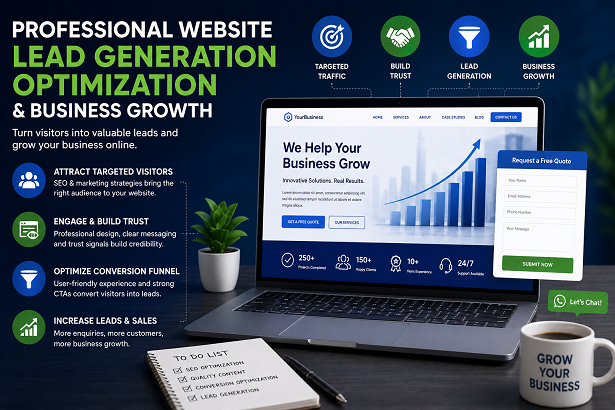
Why Isn't My Website Generating Leads?
A website can lose potential customers for dozens of reasons. Sometimes the problem is poor SEO, while other times visitors simply don't trust the business enough to contact it.
Instead of guessing, it's important to evaluate every stage of the customer's journey.
Ask yourself:
- Can visitors immediately understand what your business offers?
- Does your website build trust?
- Is it easy to contact you?
- Does every page have a clear call-to-action?
- Is your website mobile-friendly?
- Does Google understand your content?
- Are visitors finding your website through search engines?
If the answer to any of these questions is "No," your website could be losing valuable leads every single day.
Is Your Website Attracting the Right Audience?
One of the biggest misconceptions in digital marketing is that more traffic automatically means more business.
The reality is that targeted traffic converts far better than random visitors.
For example, a company selling professional website development services should attract business owners looking for web design—not people searching for unrelated topics.
Google increasingly rewards websites that satisfy user intent. If your content targets the wrong keywords, you'll attract visitors who were never interested in becoming customers.
Instead of chasing high-volume keywords, focus on keywords that indicate buying intent.
Examples include:
- Website development company
- Professional web designer
- SEO agency near me
- Business website development
- Website redesign services
- Digital marketing company
If your website isn't attracting qualified visitors, even excellent design won't generate consistent leads.
Does Your Website Build Trust Within the First Five Seconds?
Visitors form their first impression almost instantly.
Before reading your content, they subconsciously evaluate:
- Professional appearance
- Modern design
- Brand consistency
- Loading speed
- Ease of navigation
- Visual credibility
An outdated website often creates doubt about the business itself.
Modern customers expect websites to feel polished, responsive, and trustworthy.
Some of the strongest trust-building elements include:
- Professional branding
- SSL certificate (HTTPS)
- Customer testimonials
- Verified contact information
- Business portfolio
- Real team photographs
- Google reviews
- Case studies
If visitors don't trust your business, they won't submit an enquiry form regardless of how good your services are.
Is Your Website Mobile-Friendly?
More than half of today's website visitors browse using smartphones.
Google primarily indexes the mobile version of websites, meaning poor mobile usability directly affects rankings and conversions.
Common mobile problems include:
- Buttons too small
- Text difficult to read
- Images overflowing
- Menus not working
- Slow page loading
- Broken layouts
A mobile-friendly website should provide the same experience across smartphones, tablets, and desktops.
Responsive design isn't optional anymore—it's a standard requirement.
Are Your Call-to-Action Buttons Strong Enough?
Even interested visitors may leave if they don't know what to do next.
Every important page should encourage users to take a specific action.
Examples include:
- Request a Free Quote
- Book a Consultation
- Contact Our Team
- Call Now
- Get Started Today
- Download Brochure
Weak calls-to-action such as "Click Here" rarely perform as well because they don't communicate value.
Strong CTAs explain exactly what users receive after clicking.
Does Your Content Answer Customer Questions?
Google's Helpful Content System prioritizes pages that genuinely help users.
Businesses often make the mistake of writing only about themselves instead of solving customer problems.
Your content should answer questions like:
- Why should customers choose your company?
- How do your services solve problems?
- What results can customers expect?
- How long does the process take?
- What industries do you serve?
- Why are you different from competitors?
Helpful content not only improves SEO but also builds trust and increases enquiries.
You can improve your content further by following our guide on On-Page SEO Checklist for Beginners.
Could Poor SEO Be the Reason?
A beautiful website won't generate leads if people can't find it.
Search engine optimization remains one of the most cost-effective long-term marketing strategies.
Common SEO issues include:
- Missing title tags
- Duplicate content
- No keyword strategy
- Poor internal linking
- Broken pages
- Missing schema markup
- Low-quality backlinks
Websites with strong SEO consistently receive highly targeted visitors who are already searching for related products or services.
If you'd like to improve your rankings further, explore our articles on Top 10 SEO Strategies That Actually Work in 2026 and What Are Backlinks and Why They Matter for SEO.
Can Slow Website Speed Reduce Your Leads?
Yes. Website speed is one of the biggest factors influencing both user experience and SEO. Studies consistently show that visitors expect websites to load within a few seconds. Every additional second of delay increases the likelihood that users will leave without taking any action.
Google also considers page speed and Core Web Vitals when evaluating website quality. A slow website affects rankings, increases bounce rate, and reduces conversions.
Some common causes of slow websites include:
- Large uncompressed images
- Poor quality hosting
- Too many plugins or scripts
- Unused CSS and JavaScript
- No browser caching
- No image optimization
Improving loading speed often leads to better user engagement and more enquiries.
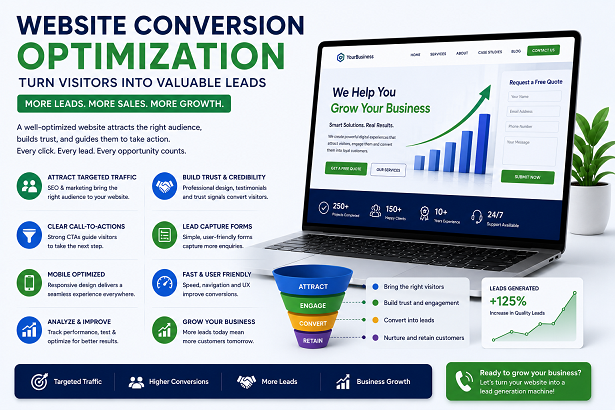
How Can You Turn More Visitors into Customers?
Generating leads is about more than attracting visitors. Your website should guide users toward taking action through a well-designed conversion funnel.
Every page should include:
- Clear value proposition
- Professional service descriptions
- Trust indicators
- Visible contact information
- Easy enquiry forms
- WhatsApp and call buttons
- Testimonials and portfolio
- Frequently Asked Questions
What Trust Signals Should Every Business Website Include?
People buy from businesses they trust. Even if your pricing is competitive, customers may hesitate if they cannot verify your credibility.
Strong trust signals include:
- Google Reviews
- Client testimonials
- Verified business address
- Company email address
- Professional portfolio
- Case studies
- Years of experience
- Awards or certifications
- Secure HTTPS website
- Privacy Policy and Terms pages
These elements reassure visitors that your business is genuine and experienced.
Why Is Internal Linking Important for Lead Generation?
Internal links help visitors discover more valuable information while improving SEO. Instead of allowing users to leave after reading one page, guide them toward related resources.
For example, someone reading about lead generation may also be interested in:
- Top 10 Features Every Business Website Must Have
- Static vs Dynamic Website – Which is Better for Your Business?
- How to Rank Your Business in Local Search
- SEO vs Google Ads – Which Is Better for Your Business?
A strong internal linking structure improves user engagement while helping search engines understand relationships between pages.
Simple Website Lead Generation Checklist
- ✔ Professional homepage
- ✔ Fast loading speed
- ✔ Mobile responsive design
- ✔ Clear value proposition
- ✔ Visible phone number
- ✔ WhatsApp integration
- ✔ Contact form on important pages
- ✔ Strong call-to-action buttons
- ✔ Customer testimonials
- ✔ Portfolio section
- ✔ Helpful blog articles
- ✔ On-page SEO
- ✔ Internal linking
- ✔ Google Business Profile
- ✔ Secure HTTPS website
Final Thoughts
A website should function as your most effective sales representative, available around the clock to attract visitors, answer questions, build trust, and generate qualified leads. If your website is not producing enquiries, the issue is usually not a single problem but a combination of weak SEO, poor user experience, unclear messaging, slow performance, or missing trust signals.
By improving your website design, optimizing for search engines, publishing genuinely helpful content, and making it easy for visitors to contact you, you can significantly increase conversions and grow your business sustainably.
Remember that successful lead generation is an ongoing process. Regular updates, content improvements, performance monitoring, and SEO optimization help your website stay competitive as Google's algorithms and customer expectations continue to evolve.
Frequently Asked Questions
Why is my website getting traffic but no leads?
Your website may be attracting the wrong audience, lacking trust signals, having weak calls-to-action, or providing a poor user experience that discourages enquiries.
How long does it take for SEO to generate leads?
SEO is a long-term strategy. Most businesses begin seeing measurable improvements within three to six months, depending on competition and website quality.
Can redesigning my website increase conversions?
Yes. A professional redesign that improves speed, navigation, mobile responsiveness, trust, and conversion elements can significantly increase lead generation.
Should every page include a call-to-action?
Yes. Every important page should guide visitors toward a specific action such as contacting your team, requesting a quote, or booking a consultation.
Does website speed affect SEO?
Absolutely. Faster websites improve user experience, reduce bounce rates, and align with Google's Core Web Vitals recommendations.
If you want expert help, check our digital marketing services.